
LTO Portal Login 2026: Complete LTMS Portal Guide For License And Vehicle Services
For an overview of LTO Portal services, return to the Home page.
What is LTO Portal Login
The LTO Portal Login is the secure access point to the Philippines’ official Land Transportation Management System (LTMS). It allows individuals to manage all their driver- and vehicle-related services online from applying for or renewing a driver’s license to viewing traffic violations, setting appointments, and updating personal information.Once registered on the LTMS, users can log in using their
email address or LTO Client ID along with their chosen password. Through this portal, the Land Transportation Office (LTO) has made its services faster, more transparent, and available 24/7 eliminating long lines and manual paperwork.
Requirements For LTO Portal Login
Before attempting to log into your LTMS portal account, make sure you meet the following requirements
REQUIREMENTS | Class |
|---|---|
Internet Connection | Active and stable |
Device | Smartphone, tablet, laptop, or desktop |
Email Address | Registered with the LTMS portal |
Password | Chosen at registration |
LTO Client ID | 15-digit number used if email is forgotten |
How To Register Your LTO Portal?
Follow some steps to Register your LTMS Portal below the button,
LTO Portal Registration and Login
Before attempting to log into your LTMS portal account, make sure you meet the following requirements
How To Login to LTO Portal
Accessing your account is a straightforward process. Follow these simple steps
Click on the “Login” button on the homepage.
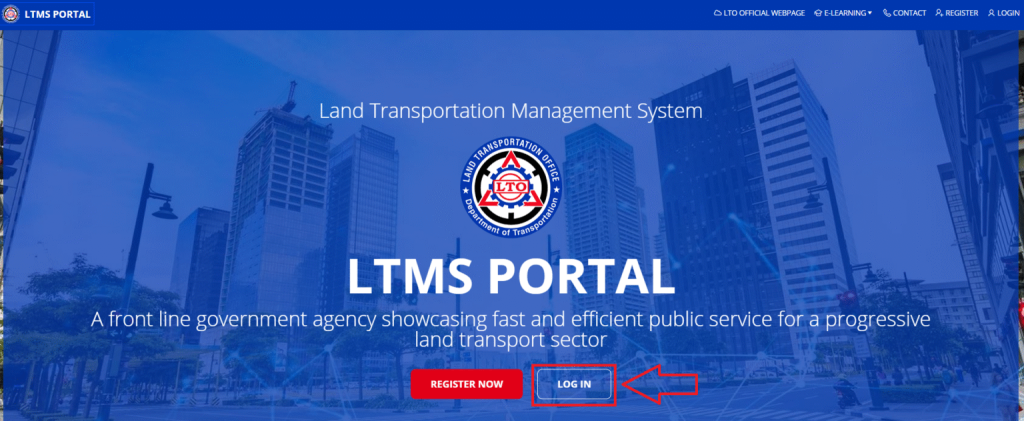
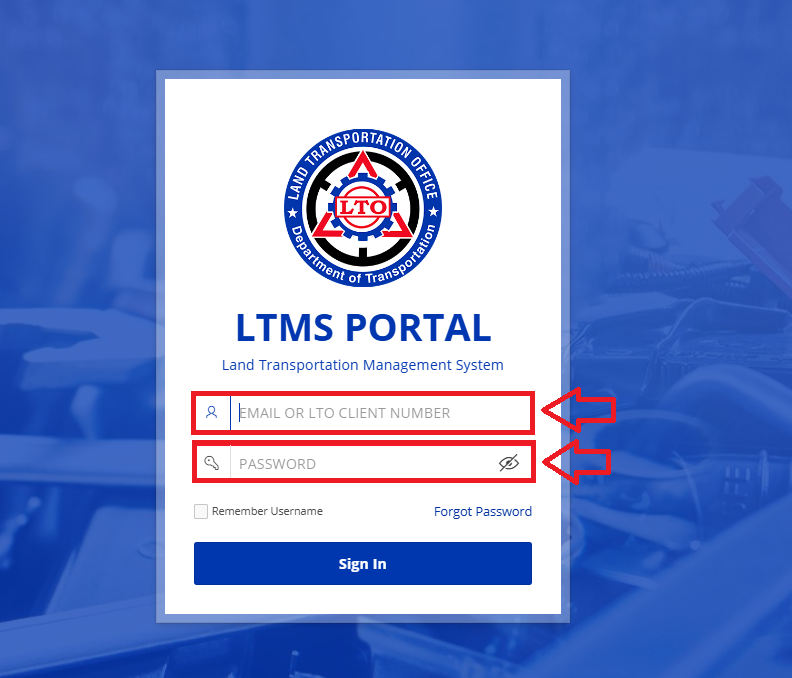
- Enter your registered “Email Address or 15-digit LTO Client ID”.
- Type your nominated “Password”.
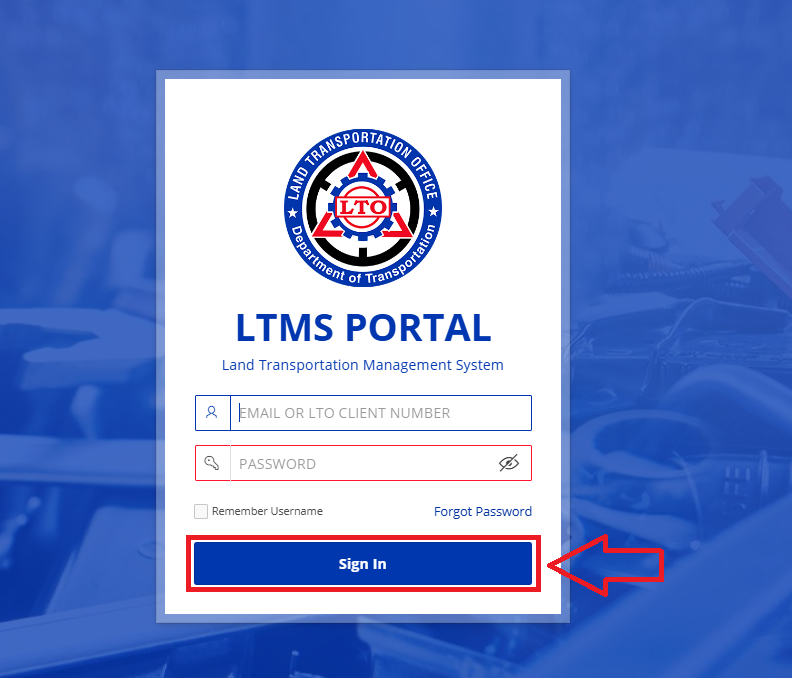
Click the “Sign In” button.
Once logged in, you will be directed to your “LTMS Portal Dashboard”.
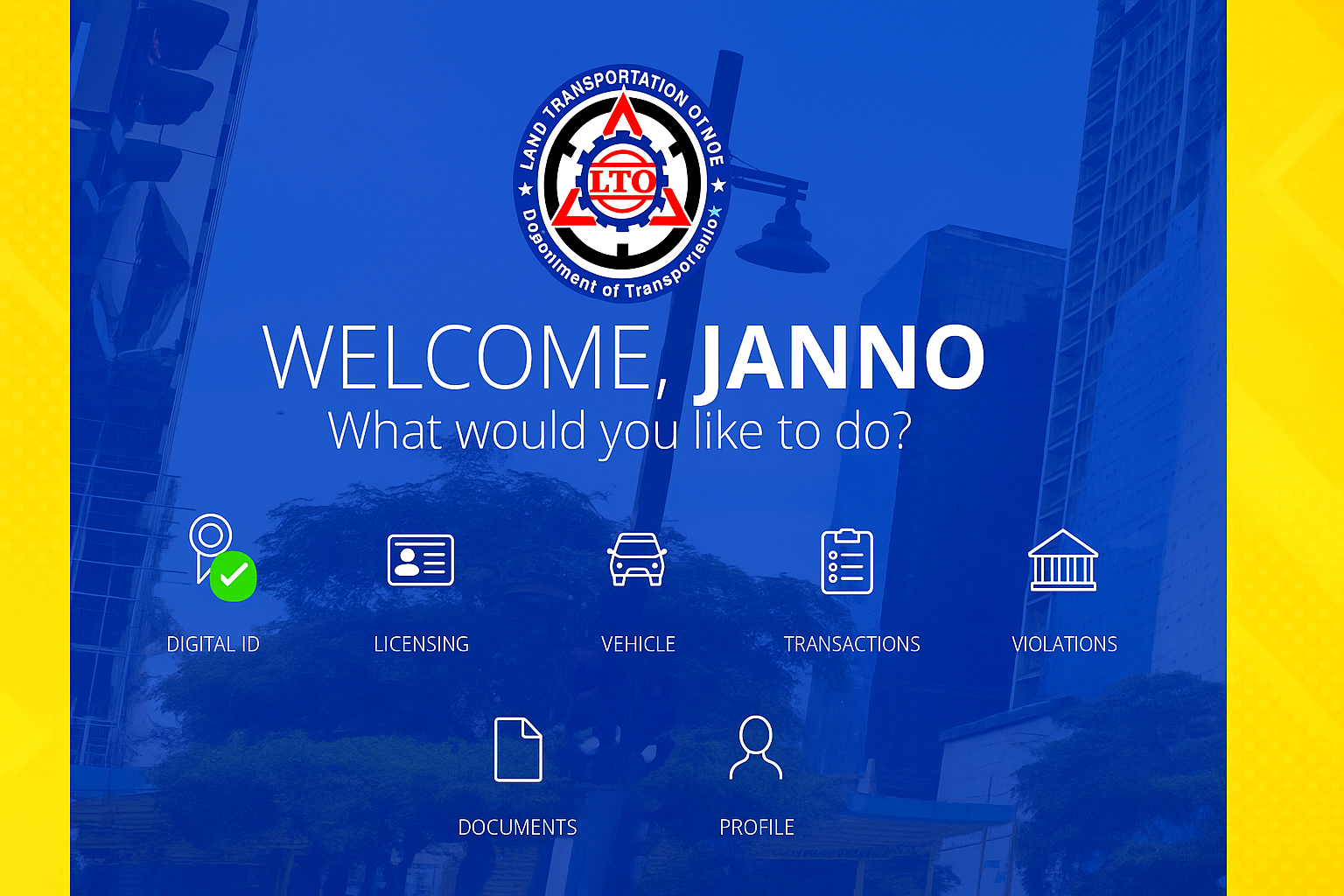
Your dashboard contains everything you need: application history, appointments, license details, and more.
Forgot Password / Password Recovery
For users who only forgot their password, the LTMS portal provides a straightforward recovery process
Visit the LTMS portal at https://portal.lto.gov.ph.
Click on the “Login” button.
- Enter your registered “Email Address or 15-digit LTO Client ID”.
- Select “Forgot Password”.
Click the “FORGET PASSWORD” button.
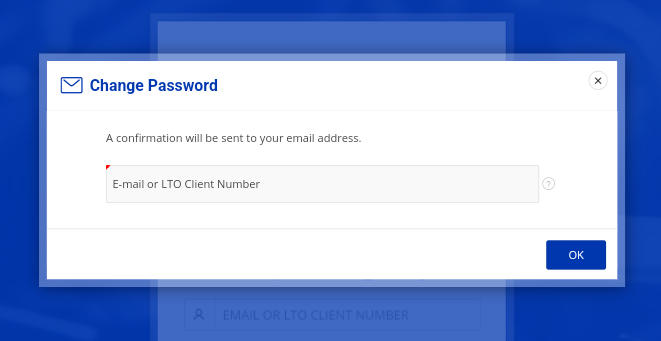
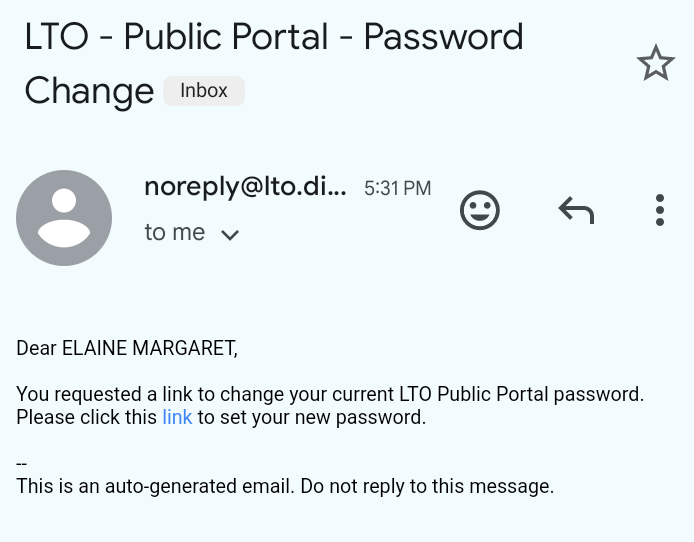
Wait for a system-generated email with reset instructions.
Click on the Reset link in your email.
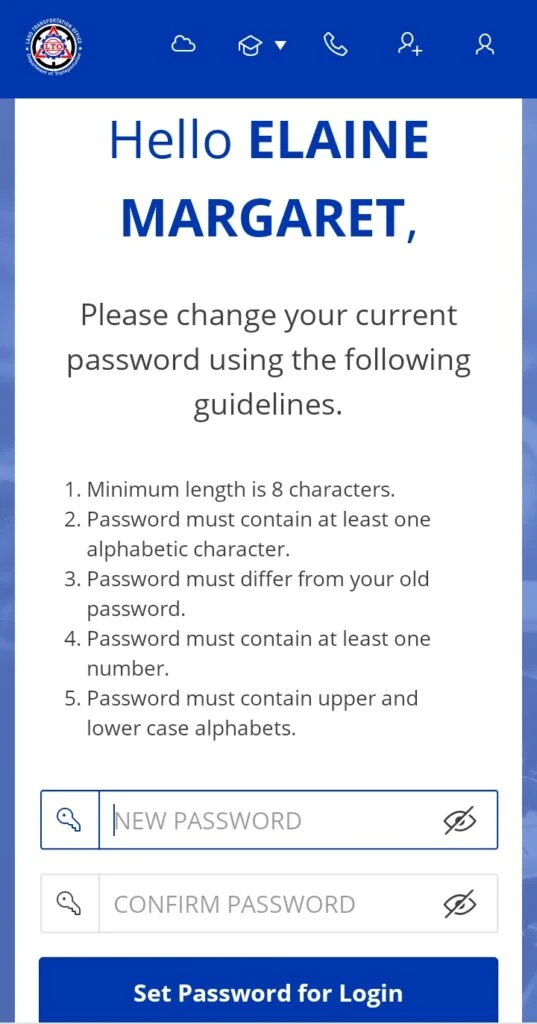
- Create a new password that meets the portal guidelines.
- Confirm the password by entering it twice.
- Click “Set Password for Login”.
- Upon confirmation, login again using your new password.
How to Register on the LTO Portal
Registration on the official LTO portal is free. Use only the official site, portal.lto.gov.ph, and never share your password or one-time password (OTP) with anyone.
Step 1: Go to the official portal at portal.lto.gov.ph and choose Register. Step 2: Read and accept the terms, then enter your personal details exactly as they appear on your records. Step 3: Enter a valid email address and create a password. Step 4:
Check your email and verify your account within 24 hours, as reminded on this site. Step 5: Sign in with your registered email address or 15-digit LTO Client ID and your password, then complete your profile on the LTMS Portal Dashboard.
How to Track Your License and Plate
After signing in to the official portal at portal.lto.gov.ph, open your LTMS Portal Dashboard and check your license and vehicle records there. Look for the status shown for your license or plate, and follow any instruction shown on your own record. If the status is not clear, or your record does not match, contact the LTO through the official channels shown on lto.gov.ph or portal.lto.gov.ph. Never share your password or OTP to check a status.
Mother-File Transaction at Another Branch
If your record, or mother file, is held at a different branch from the branch you plan to visit, tell that branch first and ask what it needs to handle your transaction. Bring the details shown on your own LTMS record, and follow the instruction given for your case. Do not assume a transaction can be finished at another branch without checking, and use only the official portal at portal.lto.gov.ph for online steps.
Transfer of Records and Ownership
For a transfer, start from your own LTMS record and check what the portal shows for that vehicle or license. Follow the steps shown for your case, and confirm the details before you submit anything. If a step is not shown on your record, ask the LTO through the official channels shown on lto.gov.ph or portal.lto.gov.ph, and do not share your password or OTP with anyone claiming to complete the transfer for you.
Frequently Asked Questions
Q: Is LTO Portal registration free? A: Yes, registration on the official LTO portal is free, as stated on this site. Q: What is the official LTO portal? A: The official portal is portal.lto.gov.ph. Use only that site for registration and login. Q: How long do I have to verify my email? A: Verify your account within 24 hours, as reminded on this site. Q: What should I do if I forgot my password? A: Use the Forgot Password option on the official portal and follow the reset instructions sent to your registered email. Never
share your password or OTP with anyone.